Best speed reading apps (2026)

Table of Contents
I make SwiftRead, so read this list knowing that. I have compared the main speed reading apps on things you can actually check: how they show text, where they work, what the free version includes and what they cost. Where another app is the better fit, I say so. Every fact comes from the maker's own site, with the date I checked it.
How I compared
I checked the same things for every app, using the maker's own site. I looked at how it shows text: by flashing words one or a few at a time (RSVP), by moving a highlight over the full text, by reformatting the text, or by reading it aloud. I noted where it runs, from browser extensions and web apps to iOS, Android, Mac and Windows, and what you can read with it: web pages, PDFs, EPUBs, Kindle books or pasted text.
I also looked at what the free tier actually includes, not just whether one exists, and how you pay: by subscription, one-off or lifetime, with the figure and the date I checked it. Where the maker's site states it, I noted sync across devices and which plan includes audio. For each app I say who it suits, including the cases where SwiftRead is not the pick.
I left out speed gains, comprehension figures, ratings and "last updated" dates. None of those can be checked against the makers' own sites, and that is the only source I use here. Where a maker claims a speed gain, I say it is their claim.
Quick comparison
| App | Reading style | Platforms | Reads | Free tier | Pricing (checked 29 Oct to 5 Nov 2026) |
|---|---|---|---|---|---|
| AppSwiftRead | Reading styleFocus (RSVP, a few words at a time), Flow (full text with a moving highlight), Spotlight (other text hidden), text-to-speech | PlatformsChrome and Edge extension, web app, iOS, Android | ReadsWeb pages, PDFs, EPUBs, pasted text, Markdown, Kindle Cloud Reader, Libby | Free tierAll features included free. A few have daily allowances. | Pricing (checked 29 Oct to 5 Nov 2026)PRO: $19.99 monthly, $44.99 quarterly, $119.99 annual. App Store pricing (US) |
| AppSpreeder | Reading styleRSVP e-reader plus a page-turning e-reader | PlatformsiPhone, iPad, Android, web, Mac, Windows, Chrome and Safari extension | Reads"52 different file & eBook formats" (list not shown), web articles via extension | Free tierFree web app for pasted text, 200-word limit | Pricing (checked 29 Oct to 5 Nov 2026)Lifetime access, one-time $67 for up to 5 users on the order page linked from the site |
| AppReadable | Reading styleRSVP, one word at a time | PlatformsWeb app for tablets, laptops and desktops | ReadsPDF, EPUB, DOCX, TXT, pasted text, URLs | Free tierGuest: 3 documents, no account. Reader: 10 documents with a free account | Pricing (checked 29 Oct to 5 Nov 2026)Pro $5.99/mo, Max $9.99/mo, monthly only |
| AppWarpReader | Reading styleRSVP, one word at a time | PlatformsWeb app, installable as a PWA | ReadsPDF, EPUB, Kindle (listed), URLs, pasted text, Markdown | Free tier10,000 words per session, 5 documents per day, training course | Pricing (checked 29 Oct to 5 Nov 2026)Pro $4.99/mo, $39.99/yr, or $99 lifetime |
| AppEasyReads | Reading styleRSVP, AI narration with word highlighting, AI chat | PlatformsWeb app | ReadsEPUB, PDF, URLs, tweets, plain text | Free tier1 hour of narration per month, 3 uploads, basic reading | Pricing (checked 29 Oct to 5 Nov 2026)Starter $6/month, Pro $15/month |
| AppHotGato (ZingLab) | Reading styleRSVP, plus text-to-speech | PlatformsWeb page, Chrome extension, LibreOffice | ReadsTXT, PDF, DOCX, EPUB, RTF, ODT, HTML, Markdown | Free tierFree for personal use, donation supported | Pricing (checked 29 Oct to 5 Nov 2026)No prices listed; business and government licences on request |
| AppBionic Reading | Reading styleReformats text with its own fonts and apps, not timed presentation | PlatformsiOS, Android, Mac, Windows, web, Chrome extension, Word add-in | ReadsText, files and websites; PDFs via Word | Free tierDiscover: text up to 2,000 characters, unlimited websites | Pricing (checked 29 Oct to 5 Nov 2026)Apps from $1.95/mo billed annually; fonts $79 one-time |
| AppSpeechify | Reading styleText to speech, not a speed reader | PlatformsiPhone, iPad, Android, Chrome and Edge extension, web, Mac, Windows | ReadsPDFs, docs, Google Docs, web pages, emails | Free tierUp to 1.5x speed, 10 voices | Pricing (checked 29 Oct to 5 Nov 2026)Premium $29/month or $139 billed yearly |
The apps
SwiftRead
It has three reading modes. Focus shows a few words at a time in the centre of the screen. Flow keeps the full text visible and moves a highlight through it. Spotlight hides the other text so the words you are reading stand out. Text-to-speech narration works in all three modes.
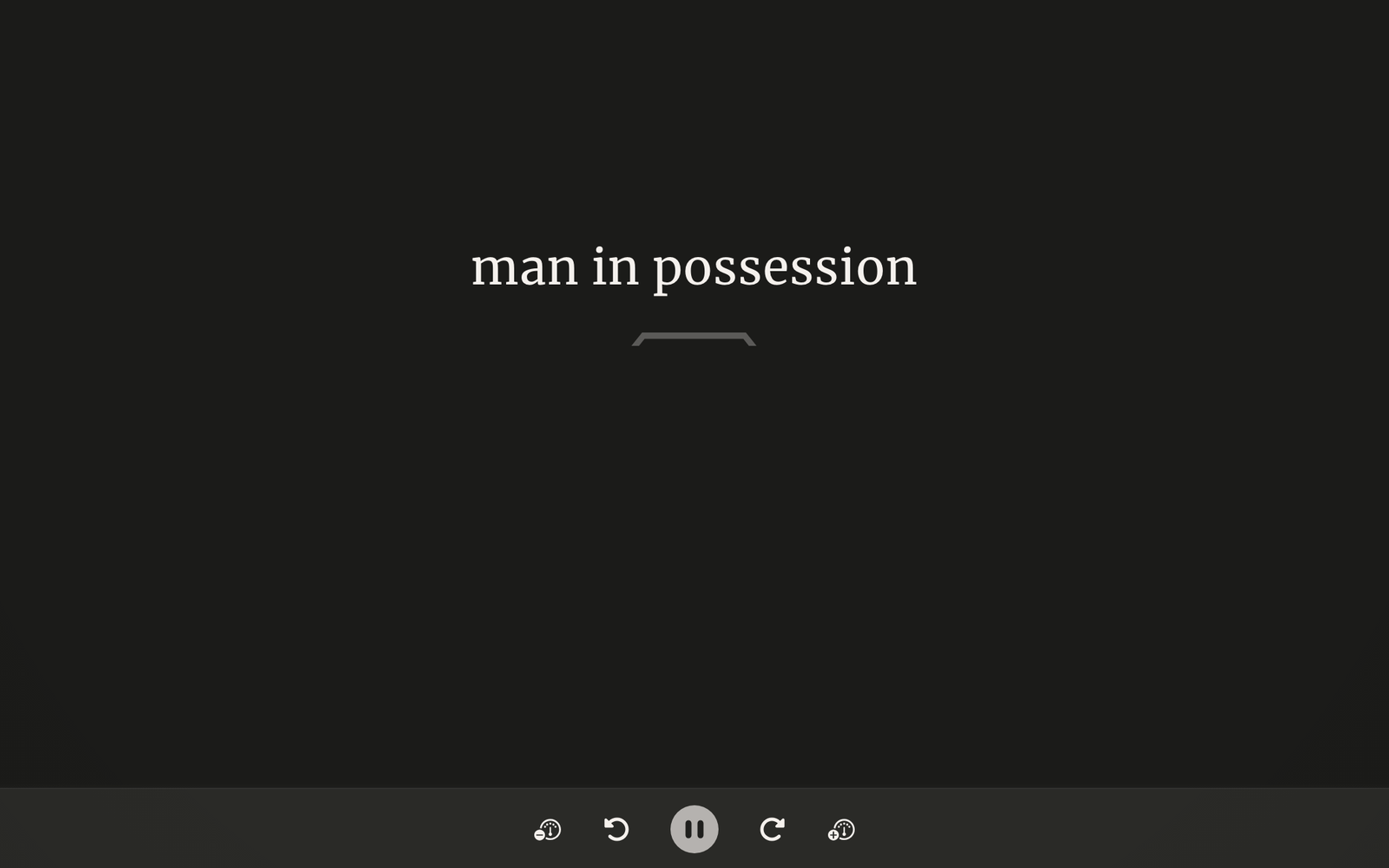
Focus mode in the SwiftRead web app, set to three words at a time, reading a public-domain chapter. Captured 5 November 2026.
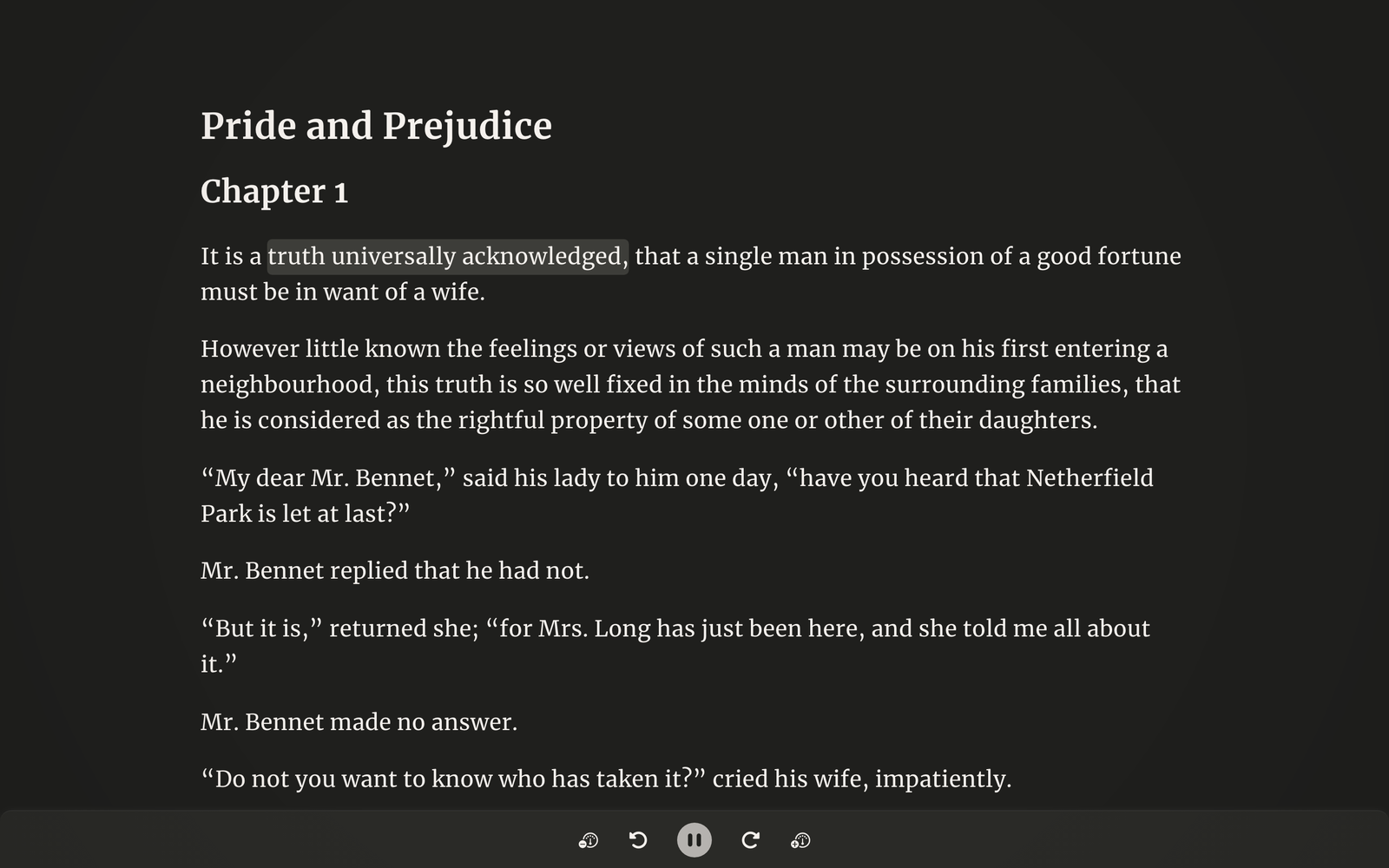
Flow mode in the SwiftRead web app keeps the full text on screen and moves a highlight through it, here set to three words at a time. Captured 5 November 2026.
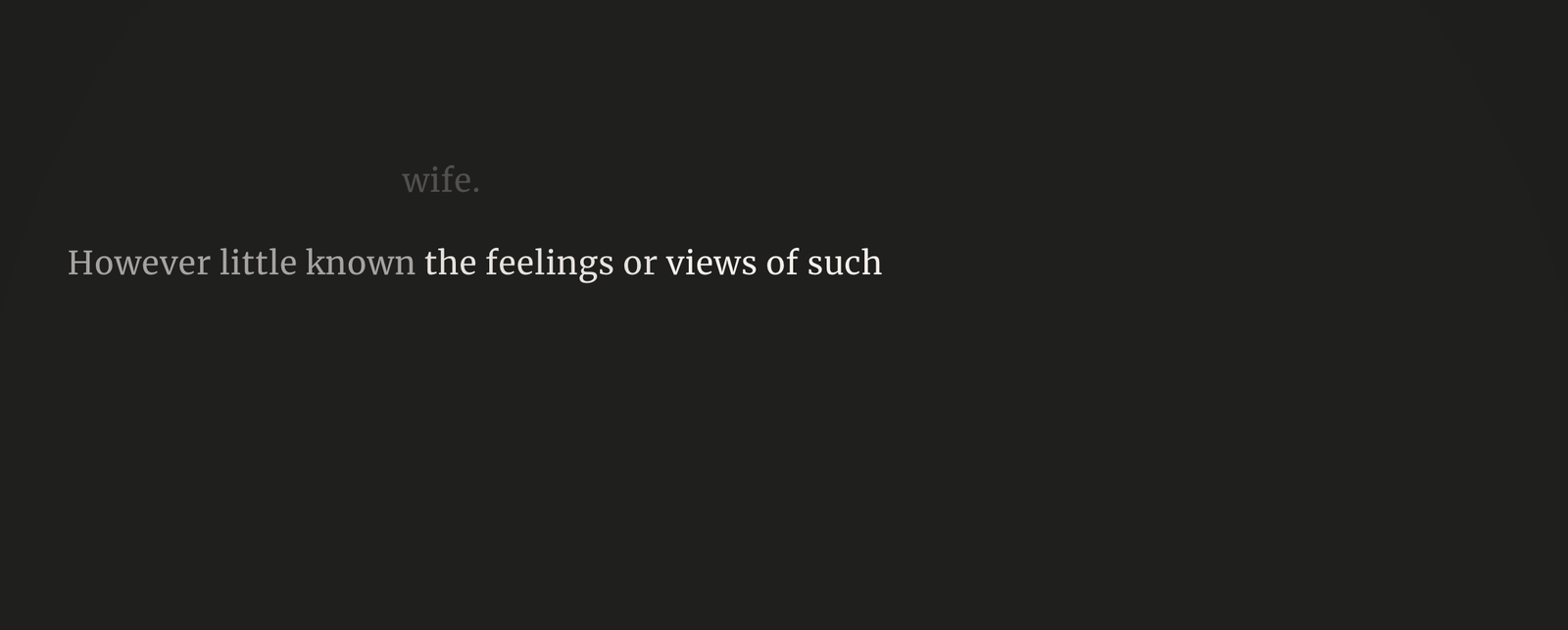
Spotlight mode in the SwiftRead web app hides the other text so only the current words stay lit. Captured 5 November 2026.
It runs as a Chrome and Edge extension, as a web app at app.swiftread.com with nothing to install (it asks you to sign in with a free account), and as iOS and Android apps. You can read web pages through the extension, PDFs and EPUBs added from your device, pasted text and Markdown, and books open in Kindle Cloud Reader and Libby.
The free tier is simple. All features included free. A few have daily allowances. PRO is $19.99 monthly, $44.99 quarterly or $119.99 annual (US App Store pricing). Your Library and reading progress stay in sync across the app, web and extension.
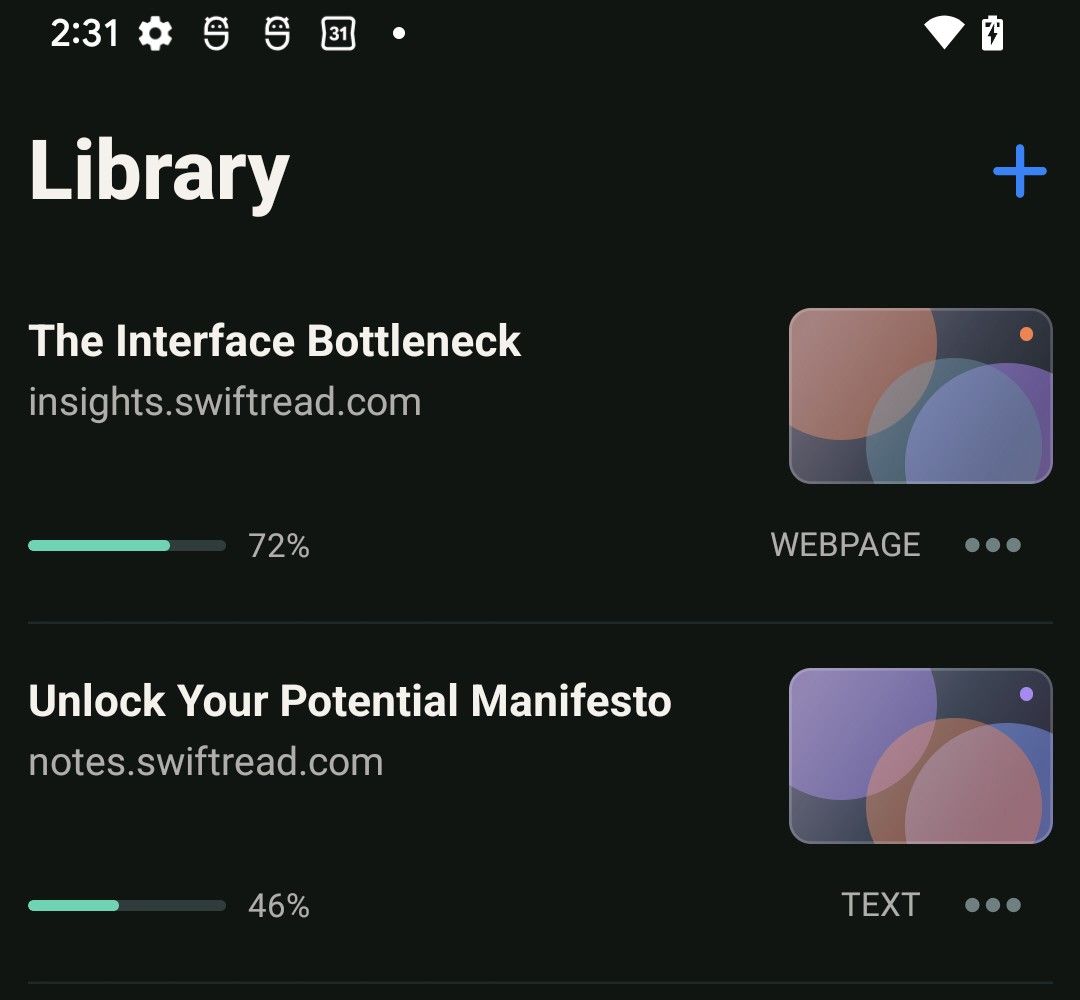
The Library screen in the SwiftRead phone app (Android, dark mode), showing sample documents with their reading progress.
It suits people who want one reader on the browser, the web and their phone, with the full text still visible rather than only word flashing. It is the only app here that reads your Kindle Cloud Reader and Libby books as they are, and text-to-speech narration works in every mode. You can try all of it free before deciding. The honest exceptions: there is no one-off price, and on a Mac or PC you use the web app or the extension rather than a native app.
Spreeder
Spreeder is made by eReflect. Its site describes a Speed E-Reader that uses RSVP with four modes, and a Regular E-Reader with a page-turning view.
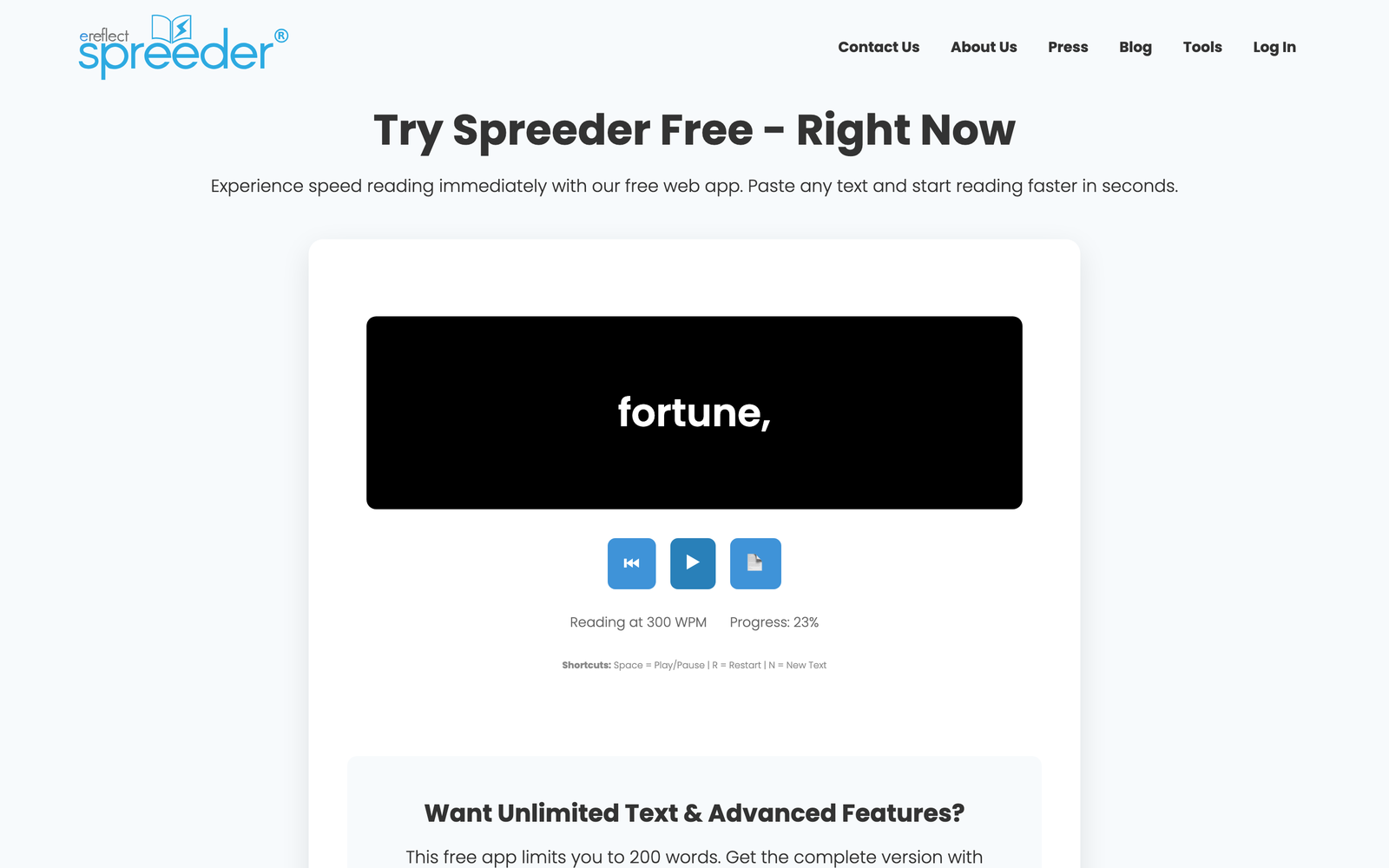
Spreeder's free web app reading a pasted paragraph one word at a time at 300 words per minute. Captured 5 November 2026 without an account.
It runs on iPhone, iPad, Android, web, Mac and Windows, with a browser extension for Chrome or Safari. The site says it reads "52 different file & eBook formats", though the list is behind a link I could not load. It also reads web articles saved through the extension, and notes that Kindle-purchased books cannot be imported without first removing the DRM.
The free version is a web app for pasted text, limited to 200 words. The paid product is sold as "Lifetime Access" with a one-time payment. The order page linked from spreeder.com showed USD $67.00 for up to 5 users when I checked on 5 Nov 2026. The site states a 365-day refund policy.
It suits people who want one app on every desktop and mobile platform, or who prefer paying once. Speed claims on its site are its claims.
Readable
Readable is a web-based RSVP reader that shows one word at a time at a fixed point on the screen.
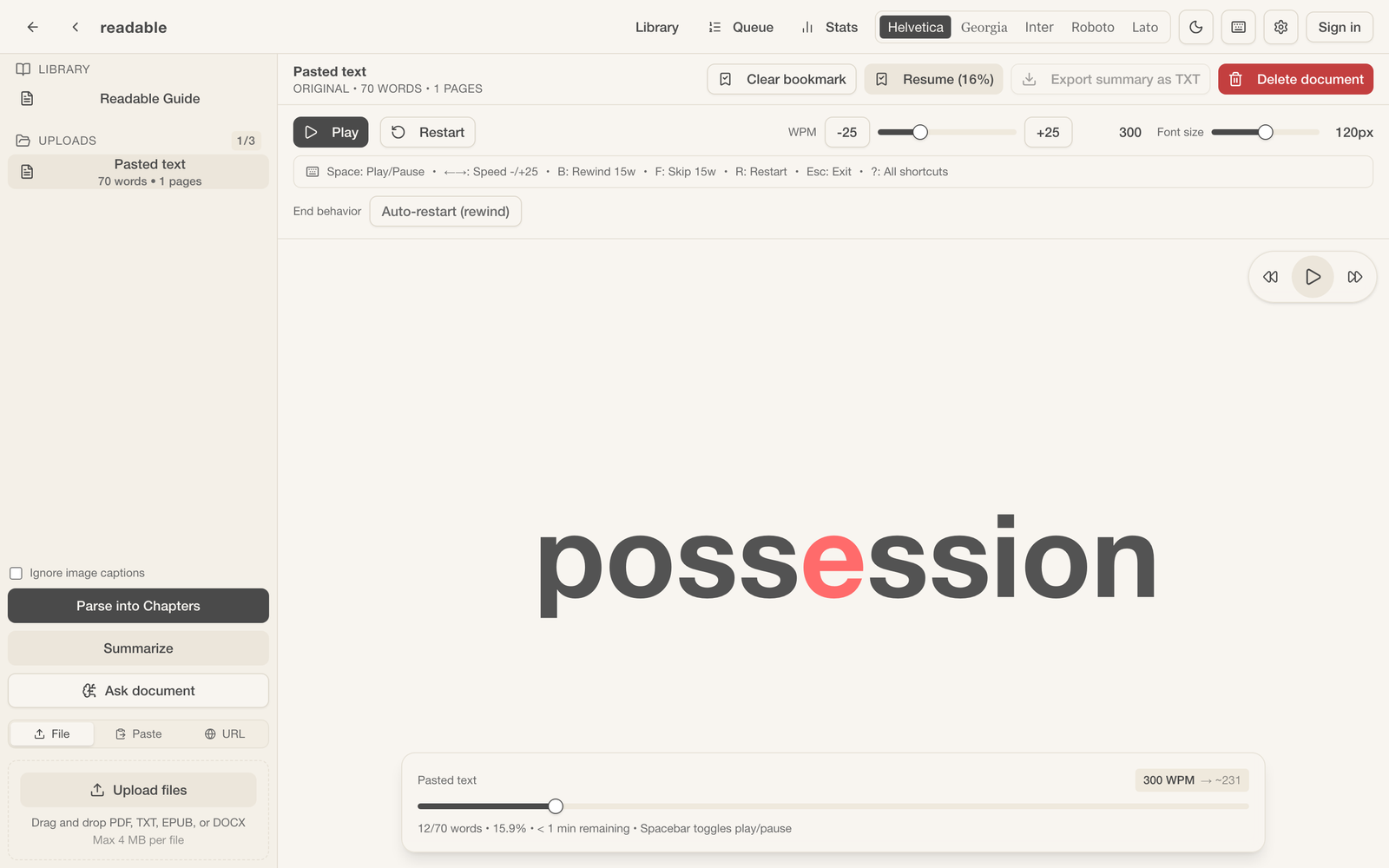
Readable's guest mode, with no account, reading a pasted paragraph one word at a time. The sidebar shows the guest limit of 3 documents. Captured 5 November 2026.
It is a web app "designed for tablets, laptops, and desktops", and the site says a mobile app is planned. You can read PDF, EPUB, DOCX and TXT files, pasted text, and articles imported by URL.
Guest mode, with no account, allows 3 documents. Reader, with a free account, allows 10 documents. Pro is $5.99 a month and Max is $9.99 a month. Only monthly billing is shown.
It suits people who read on a laptop or tablet and want a simple, low-cost RSVP reader. It is not the pick if you want a phone app today.
WarpReader
WarpReader is a web-based RSVP reader from Abundance LLC. Its site says it can be installed as a progressive web app (PWA).
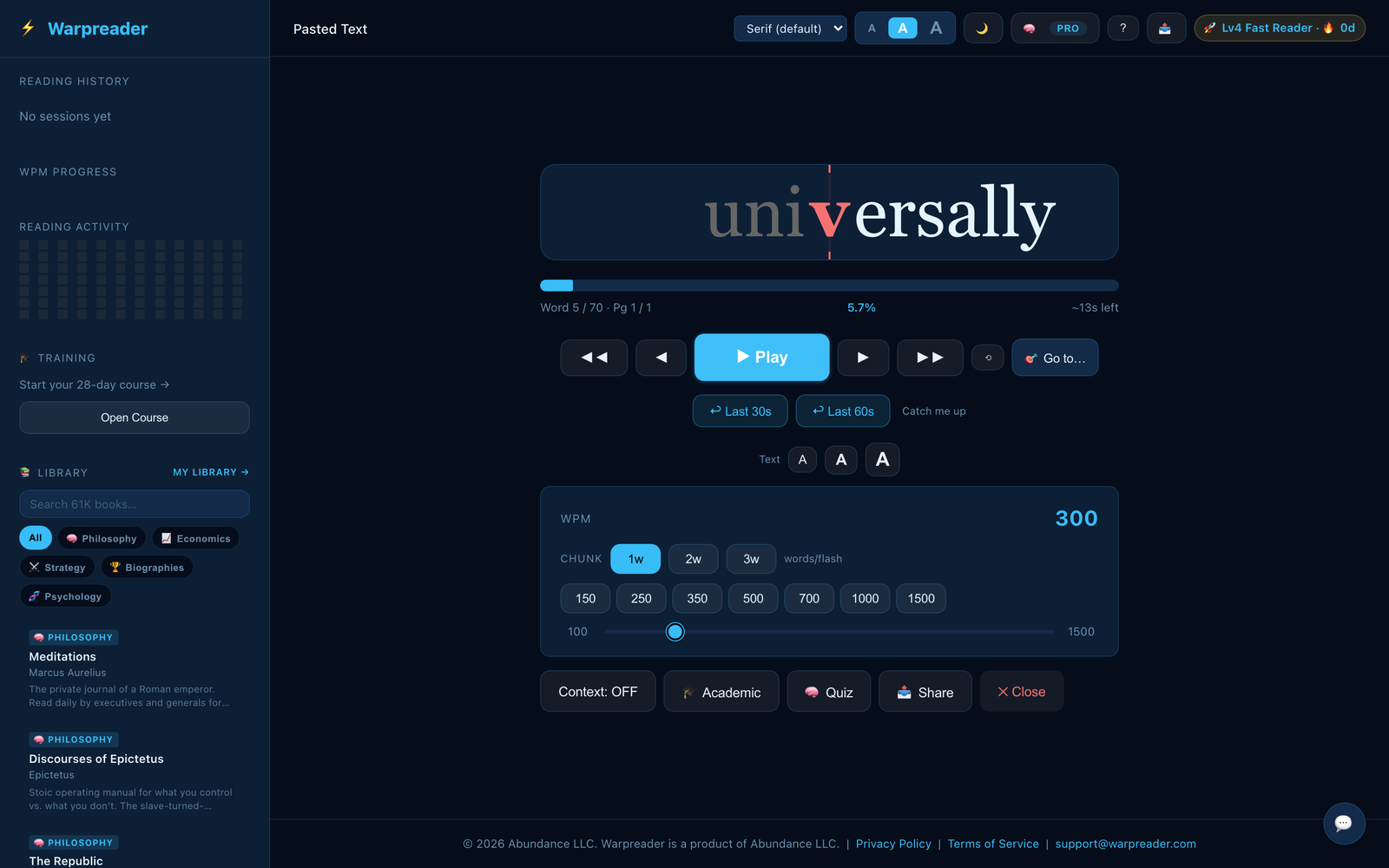
WarpReader's free web reader paused on a pasted paragraph, with the words-per-minute and chunk controls, the 28-day course link and the book library. Captured 5 November 2026 without an account.
You can read PDF uploads, EPUB, Kindle (listed as a format, though handling is not described), articles by URL, pasted text and Markdown. The site also offers a free book library.
The "Free Forever" plan includes 10,000 words per session, 5 documents a day, a reading speed test and a 28-day training course. Pro is $4.99 a month, $39.99 a year, or $99 one-time for lifetime access, and adds unlimited document length, cloud sync, reading history and AI quizzes.
It suits people who want the cheapest paid plan or a one-off purchase, and who are happy reading in a browser. No native phone apps are mentioned. Speed figures on its site are its claims.
EasyReads
EasyReads is a web app for books and documents with three ways to read: RSVP at 150 to 600 words per minute, AI narration with word-by-word highlighting, and an AI chat panel for questions and summaries.
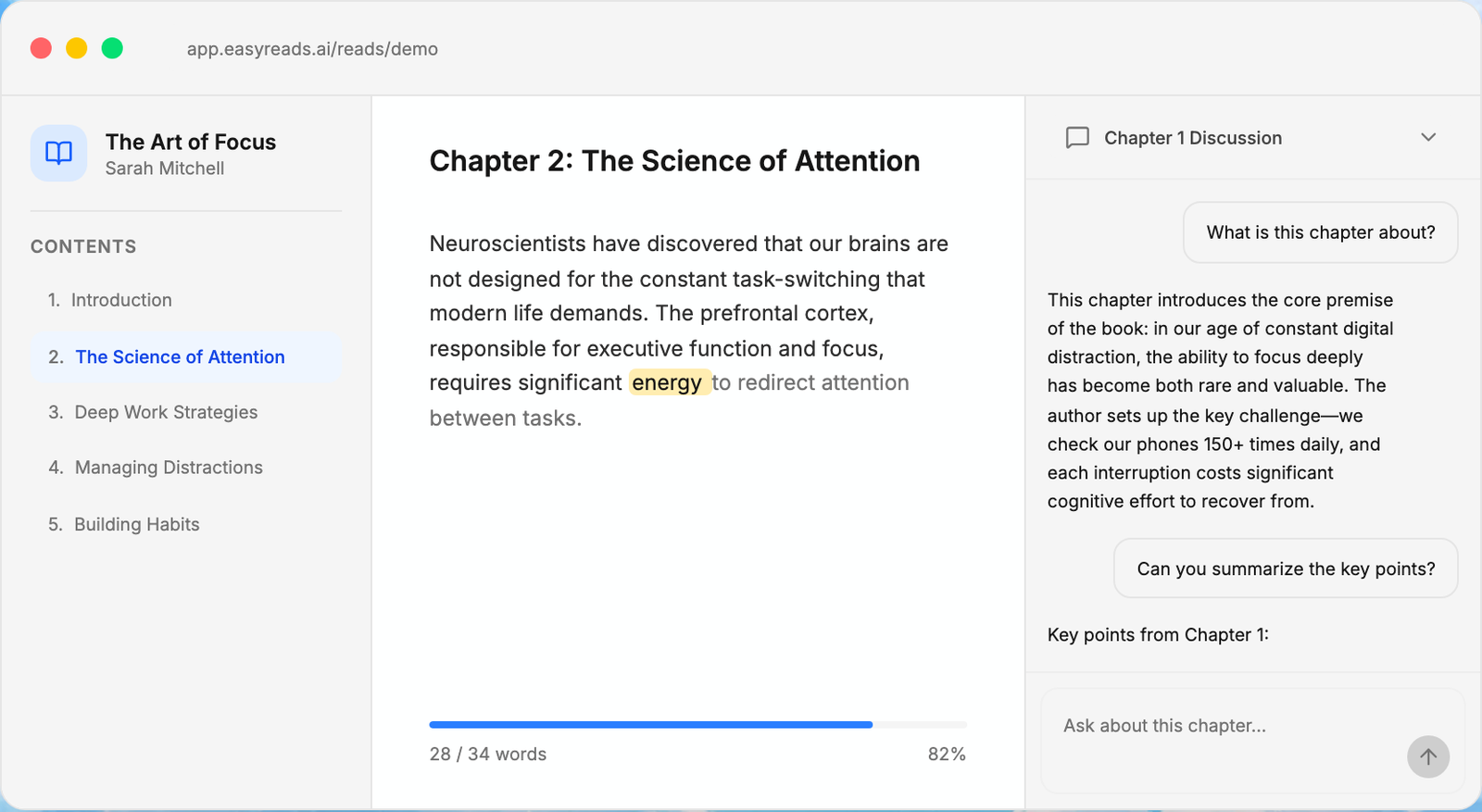
EasyReads' reader and AI chat panel as shown in the interactive demo on easyreads.ai, with a sample book supplied by EasyReads. The reader itself needs an account, so this is the maker's own demo, captured 5 November 2026.
You can read EPUB, PDF, web articles by URL, tweets and plain text. For Kindle books, the site points to a guide on converting them to EPUB.
The free tier gives 1 hour of AI narration a month, 3 uploads and basic reading features. The pricing page lists "Speed reading mode" under the paid plans. Starter is $6 a month and Pro is $15 a month. No annual or lifetime option is shown.
It suits people who want narration and chat with their books more than they want a speed reader. No native apps are mentioned.
HotGato (ZingLab)
HotGato Speed Reader is a browser-based reader. Its footer names ZingLab LLC, and zinglab.com lists it as a "Free, open-source speed reader". The page says documents are processed in your browser and not sent anywhere.
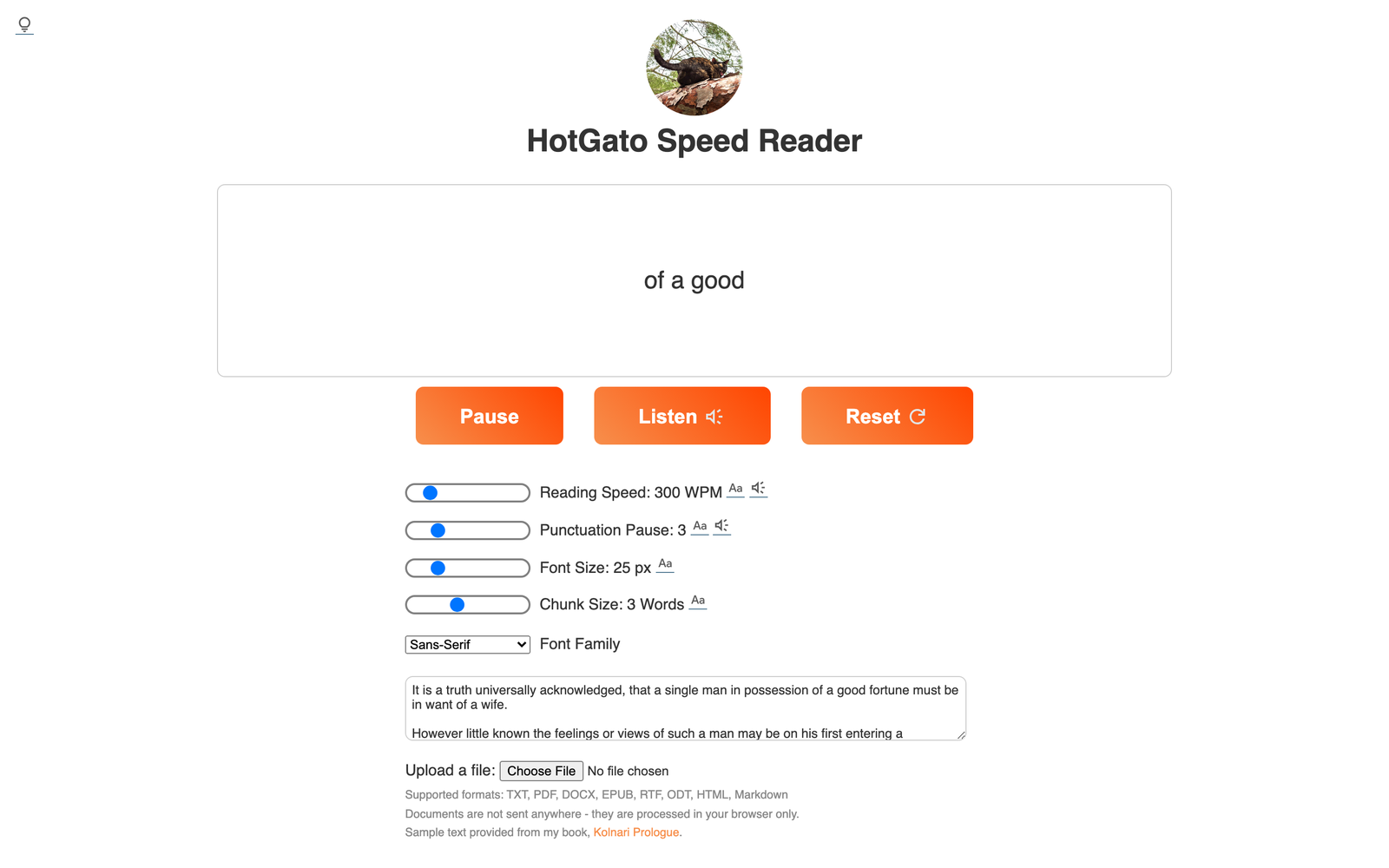
HotGato Speed Reader in a desktop browser with Chunk Size set to 3, showing three words of a pasted paragraph at a time at 300 words per minute. Captured 5 November 2026 without an account.
You get a words-per-minute control, a chunk size control and a Listen button. It runs as a web page, a Chrome extension and a LibreOffice version, and reads TXT, PDF, DOCX, EPUB, RTF, ODT, HTML and Markdown.
It is free for personal use and donation supported, with no prices listed. Business and government licences are offered on request by email. The source code is on GitHub.
It suits people who want a free reader, or who want files to stay on their own machine.
Bionic Reading
Bionic Reading is not a speed reader in the sense of the apps above. It sells fonts and apps that apply its reading method to text you are already looking at. Its site does not spell out the mechanics on the pages I checked, so I will not describe them.
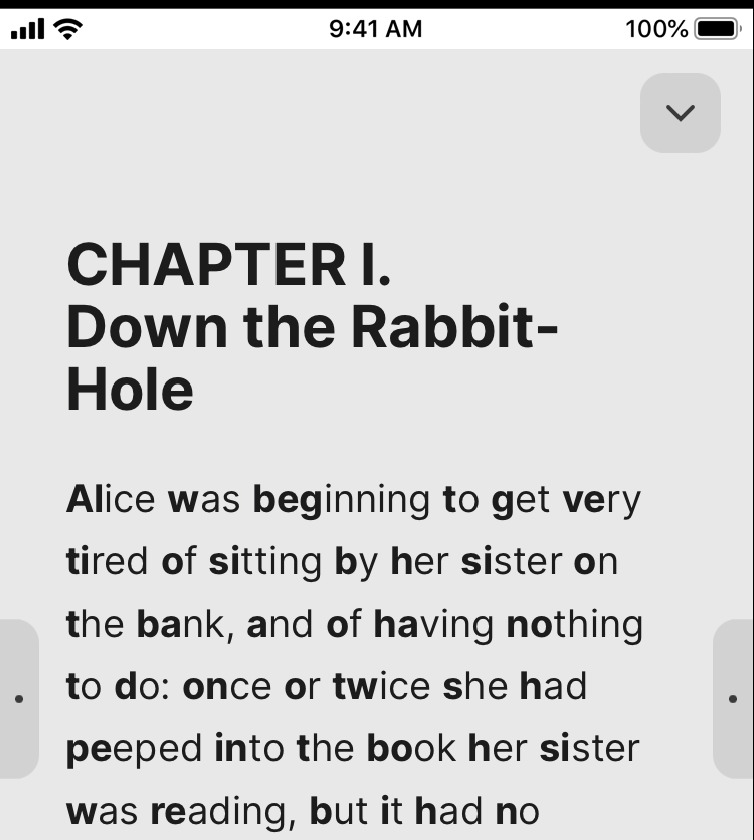
Bionic Reading's iPhone Reader showing the opening of Alice's Adventures in Wonderland in its format. Official App Store listing image, cropped to the phone screen, saved 5 November 2026.
It offers apps for iOS, Android, Mac, Windows and web, a Chrome extension, a Word add-in and an InDesign plugin. Its apps convert text, files and websites. For PDFs, the site recommends converting to Word first.
Discover, the free tier, needs no registration and converts text up to 2,000 characters and unlimited websites. Premium is $1.95 a month billed annually or $2.25 month to month. Premium Plus is $8.25 a month billed annually or $9.80 month to month. The fonts are a one-time purchase at $79, or $139 for the bundle. The site says these prices exclude VAT and that app-store prices can be up to 30% higher.
It suits people who want to change how text looks everywhere, rather than how it is presented in a reader.
Speechify
Speechify is a text-to-speech app, not a speed reader. You listen rather than read.
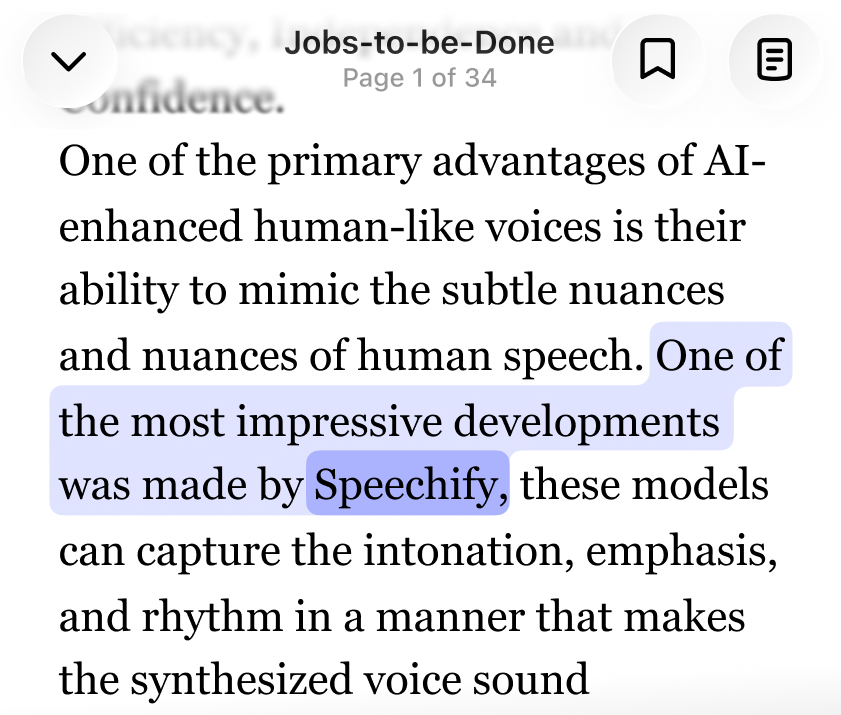
Speechify's iPhone reader reading a document aloud, with the current sentence highlighted. Official App Store listing image, cropped to the phone screen.
It runs on iPhone, iPad, Android, Chrome and Edge extensions, web, Mac and Windows. It reads PDFs, docs, web pages and emails aloud, and its FAQ lists PDF, EPUB, DOCX, XLSX and TXT files.
The free tier allows listening at up to 1.5x speed with 10 voices. Premium is $29 a month, or $139 billed yearly.
It suits people who want to listen to documents instead of reading them. If you want to read on screen rather than listen, look at the apps above.
Which one fits you
- You want the most ways to read in one app, everywhere you read: SwiftRead. It has the widest set of reading modes on this list, Focus word-flashing, Flow with the full text visible, Spotlight, and text-to-speech narration in all three, and one synced library across the browser extension, the web app and your phone. No one-off price though.
- You want to pay once for RSVP-only: Spreeder ($67 one-time, up to 5 users) or WarpReader ($99 lifetime). Spreeder has apps on every platform; WarpReader is browser only.
- You want the lowest-priced paid plan and are fine with a one-word-at-a-time web reader and no phone app: WarpReader ($4.99 a month) or Readable ($5.99 a month).
- You want a native Mac or Windows app: Spreeder or Speechify. Bionic Reading too, though it reformats text rather than presenting it.
- You want nothing to leave your machine: HotGato. Free, open source, runs in the browser.
- You want your books read aloud with an AI chat panel: EasyReads. Listening only: Speechify.
- You want to change how text looks everywhere rather than how a reader presents it: Bionic Reading.
What these apps do not do
I can't promise any app will make you read faster, and I make no speed or comprehension promises for SwiftRead. Several makers publish speed figures on their sites. Those are their claims, and I have not checked them.
FAQ
What is RSVP?
RSVP stands for Rapid Serial Visual Presentation. The app shows words one at a time, or a few at a time, in the same spot on the screen.
Which speed reading apps have a free tier?
SwiftRead, Readable, WarpReader, EasyReads, Bionic Reading and Speechify describe a free tier on their sites. Spreeder has a free 200-word web app. HotGato is free for personal use.
Which ones read PDFs?
SwiftRead, Readable, WarpReader, EasyReads and HotGato all list PDF. Speechify reads PDFs aloud. Bionic Reading recommends converting PDFs to Word first.
Which ones work on Android?
SwiftRead, Spreeder, Bionic Reading and Speechify list Android apps.
Which ones have a lifetime plan?
Two do: Spreeder ($67 one-time when I checked) and WarpReader ($99 lifetime).
Which ones work with Kindle books?
SwiftRead can read books open in Kindle Cloud Reader and Libby. WarpReader lists Kindle as a format. Spreeder says DRM-protected Kindle books are not supported as is. EasyReads points to a conversion guide.
Sources
- SwiftRead: help articles on reading modes, supported platforms, supported readers and SwiftRead PRO (checked 29 Oct 2026); pricing from the App Store listing (US) (checked 5 Nov 2026)
- Spreeder: spreeder.com and its free web app (checked 29 Oct to 5 Nov 2026); the price is from the order page linked from the site on 5 Nov 2026
- Readable: readable-co.com and pricing (checked 29 and 30 Oct 2026)
- WarpReader: warpreader.com (checked 29 Oct 2026)
- EasyReads: easyreads.ai and pricing (checked 29 and 30 Oct 2026)
- HotGato: hotgato.com and its enterprise page (checked 30 Oct and 5 Nov 2026); zinglab.com (checked 29 Oct 2026)
- Bionic Reading: bionic-reading.com and pricing (checked 29 and 30 Oct 2026)
- Speechify: speechify.com and pricing (checked 29 and 30 Oct 2026)