
The short answer: If you want to speed read what you already read, SwiftRead is the Spreeder alternative to try. It opens web pages, PDFs, ePubs, and books in Kindle Cloud Reader and Libby. Then it gives you three ways to read:
- Focus: RSVP, a few words at a time in one spot
- Flow: the full page with a moving highlight
- Spotlight: the rest of the text hidden, so the words you're reading stand out
Text-to-speech works in all three. SwiftRead runs in Chrome and Edge, on the web, and on iPhone, iPad and Android. All features included free. A few have daily allowances.
If you want speed reading courses and drills, or to pay once, Spreeder is the better fit.
I'm Troy, and I make SwiftRead. Every Spreeder fact on this page comes from Spreeder's own site or its app store pages. They're linked at the end.
SwiftRead vs Spreeder at a glance
| SwiftRead | Spreeder | |
|---|---|---|
| Built for | Reading your own articles, PDFs and books up to 3X faster | Speed reading training, AI book summaries and an e-reader |
| Ways to read | Three: Focus (RSVP), Flow (the full page with a moving highlight) and Spotlight (the rest of the text hidden) | An RSVP speed reader with "4 modes and 14 tunable settings," plus a page-turning e-reader |
| Text-to-speech | Yes, in all three ways to read. The spoken words stay in sync | Not mentioned on Spreeder's site or app listings |
| Web pages | The extension opens the page you're on in the SwiftRead reader | The extension saves the page, or your selection, to your Spreeder library |
| PDFs and ebooks | PDFs in your browser, plus PDF and ePub files up to 25 MB | "52 different file & eBook formats," by Spreeder's count |
| Kindle and Libby | Reads books open in Kindle Cloud Reader and Libby | Purchased Kindle books need extra steps first |
| Browser extension | Chrome and Edge. 200,000 Chrome users, updated Nov 9, 2026 | Save to Spreeder for Chrome: 4,000 users, updated Aug 6, 2026. The Safari version was last updated in Nov 2022 |
| Apps | Web app, iPhone and iPad, Android | iPhone and iPad, Android and web. Mac and Windows downloads for existing users |
| Sync | One account syncs your library and reading progress | Cloud library syncs across your devices |
| Free version | All features included free. A few have daily allowances. | A free web app for pasted text, up to 200 words |
| Paid | PRO: $19.99 a month, $44.99 a quarter or $119.99 a year (US App Store) | One payment of $67, for up to 5 users |
| Extras | Share links, text, PDFs and ePubs to SwiftRead from other apps on your phone | Courses, drills, goals and leaderboards. AI book summaries |
What SwiftRead and Spreeder look like
Both apps can show a few words at a time in one spot. Past that, they look quite different. The SwiftRead images are screenshots of SwiftRead. The Spreeder images are from Spreeder's own homepage and App Store listing.
A few words at a time
This is where the two apps are most alike. Both can show the text a few words at a time in one spot, so your eyes stay still while the words change. In SwiftRead, that's Focus. Spreeder's speed reader works this way too, with “4 modes and 14 tunable settings.”
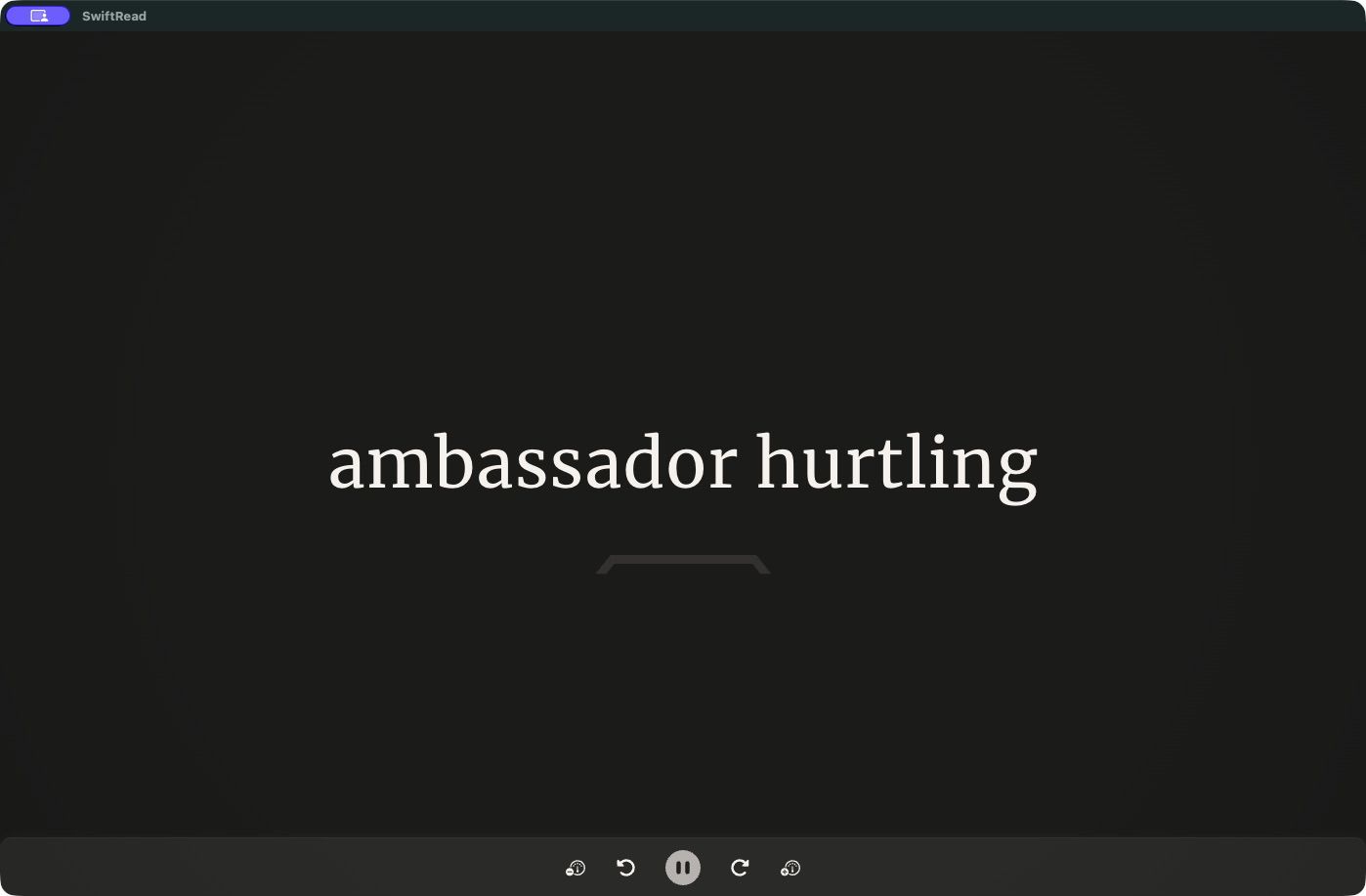
SwiftRead's Focus mode (RSVP) in the Chrome extension, reading a news article two words at a time.
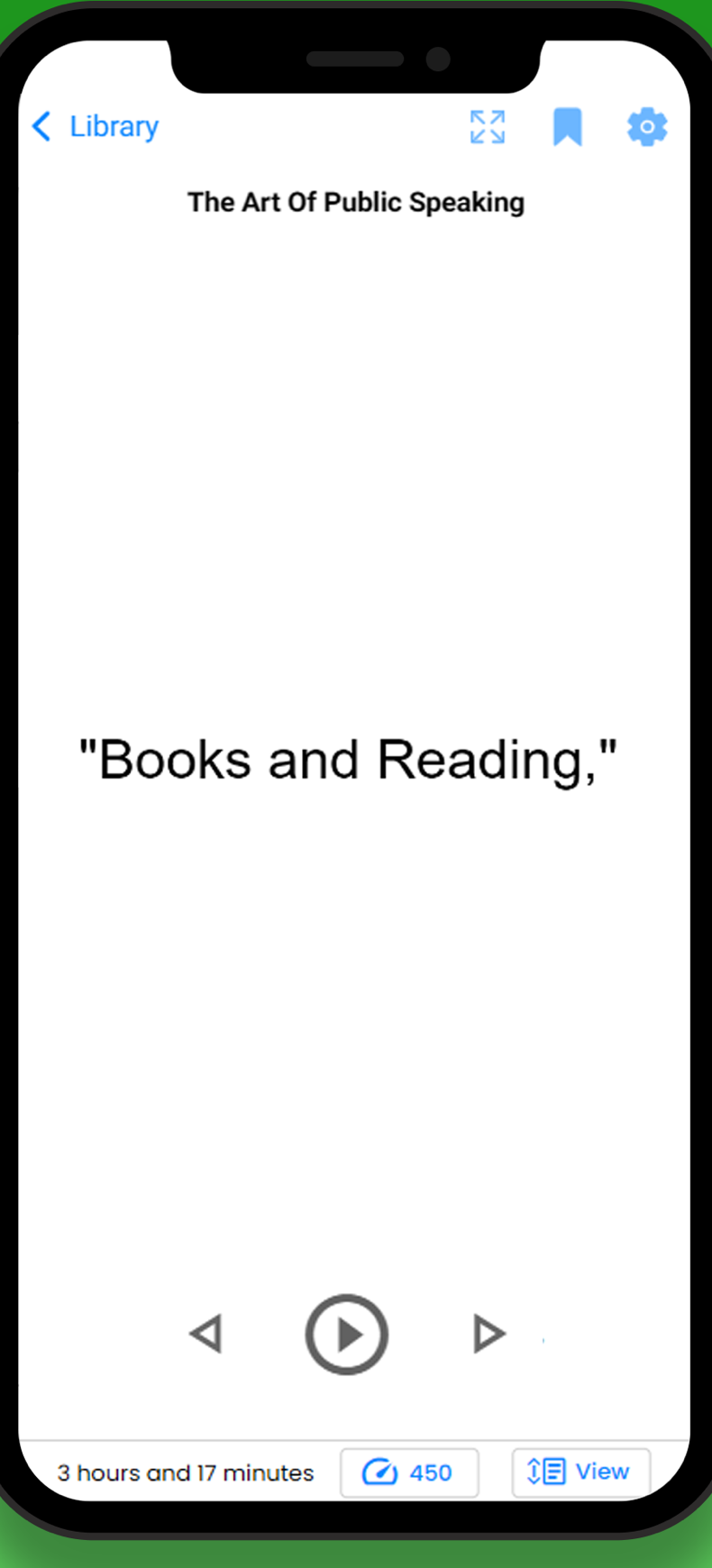
Spreeder's RSVP reader on iPhone. Image from Spreeder's App Store listing, cropped to the phone screen.
The whole page
SwiftRead also lets you read with the page in view. SwiftRead's Flow keeps the full page on screen and moves a highlight through it, so you can see where you are. Spotlight hides the other text, so the words you're reading stand out. Spreeder also has a regular page-turning e-reader, with notes, stats, bookmarks and tags.
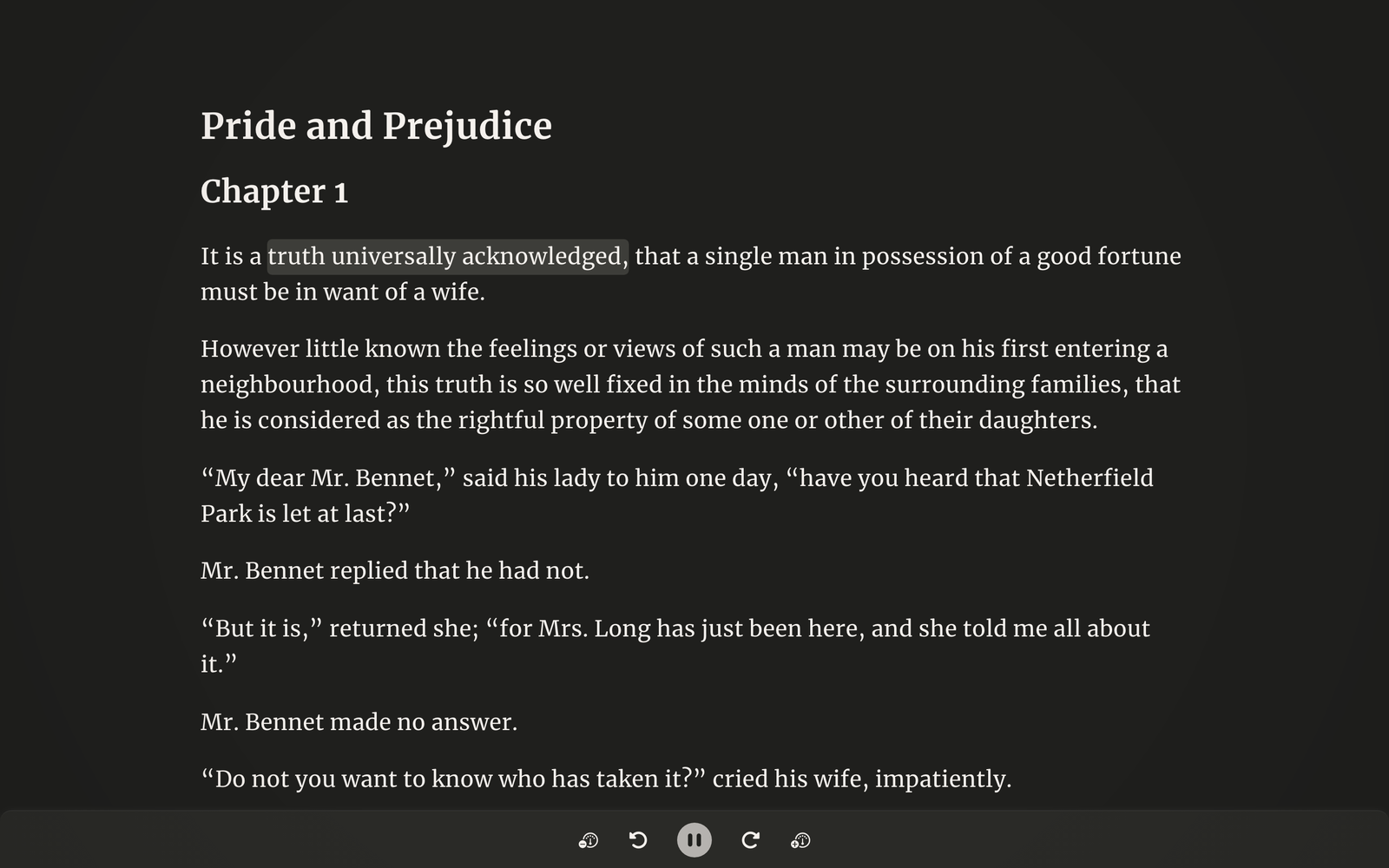
SwiftRead's Flow mode keeps the full page on screen and moves a highlight through it.
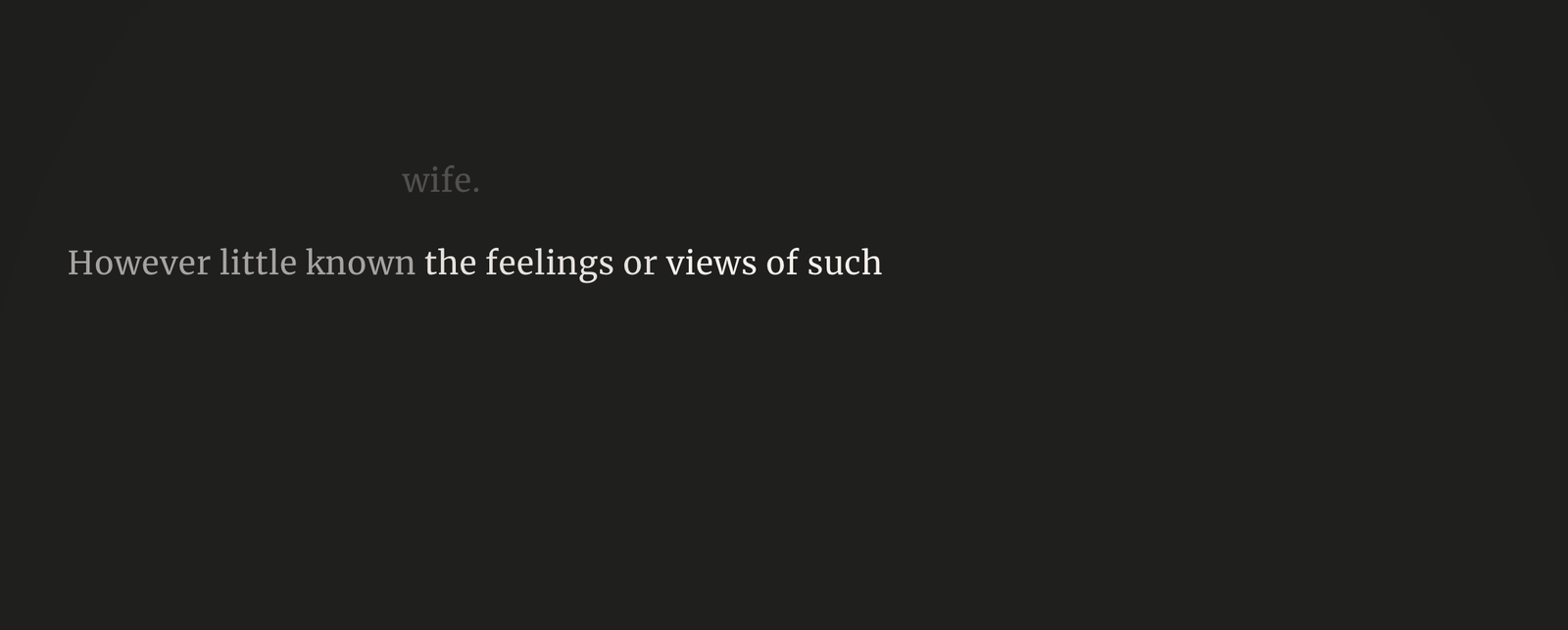
SwiftRead's Spotlight mode hides the other text, so only the current words stay lit.
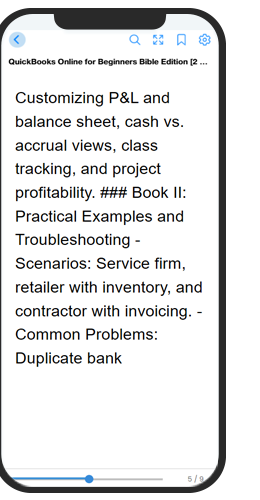
Spreeder's page-turning e-reader on a phone. Image from Spreeder's homepage.
Your library
Both apps keep what you're reading in a library that syncs. In SwiftRead, one account syncs your library and reading progress across the browser extension, the web app and the phone apps. Spreeder has a cloud library that syncs across its apps for iPhone, iPad, web, Mac, Windows and Android, and one purchase covers up to 5 users.
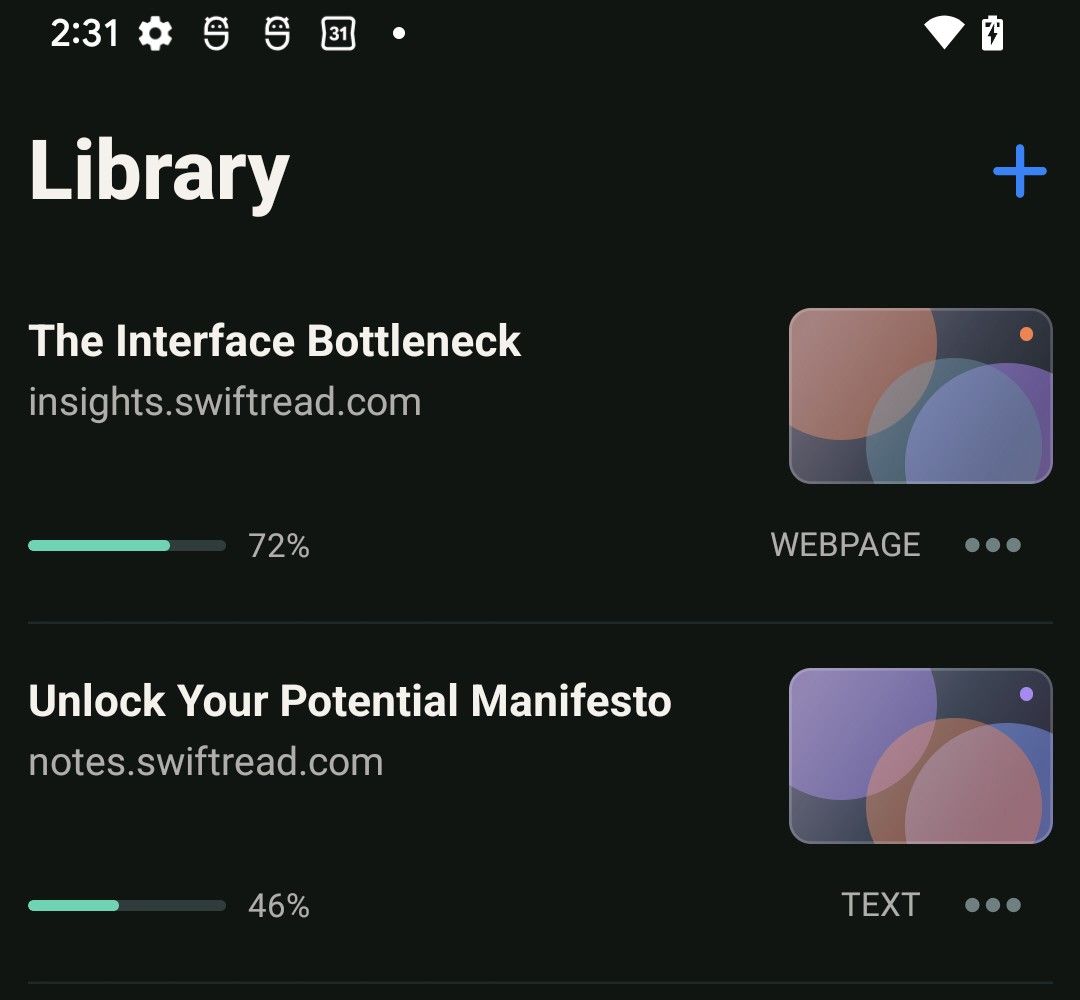
The Library in the SwiftRead phone app (Android, dark mode), with reading progress for each document.
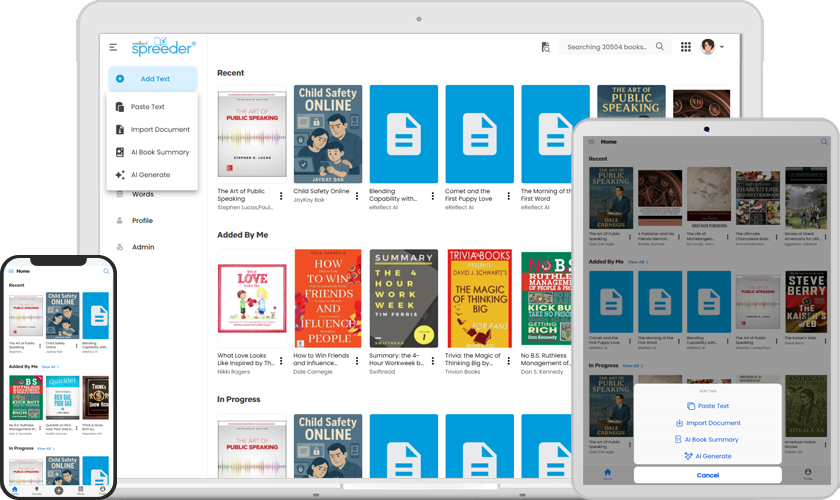
Spreeder's cloud library on a laptop, tablet and phone. Image from Spreeder's homepage.
In your browser
The two browser extensions do different jobs. SwiftRead's extension opens the page you're on in the SwiftRead reader, so you can start reading right away. It runs in Chrome and Edge. Save to Spreeder, for Chrome and Safari, saves the page or your selection to your Spreeder library.
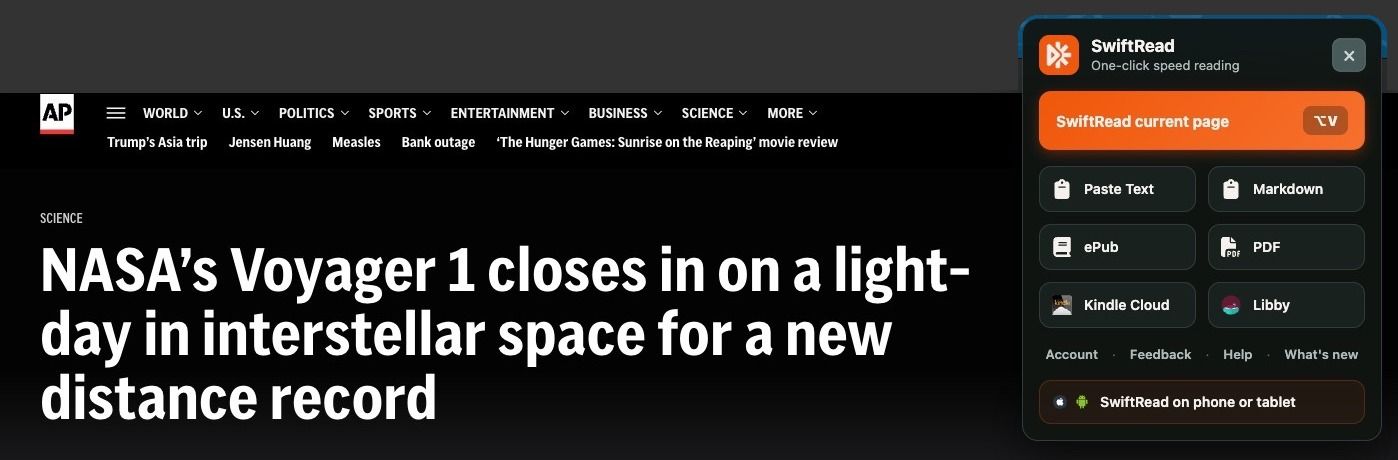
The SwiftRead extension on a news article in Chrome. “SwiftRead current page” opens it in the reader.

The same article in SwiftRead's reader, in Flow: the full page, with a highlight moving through it.
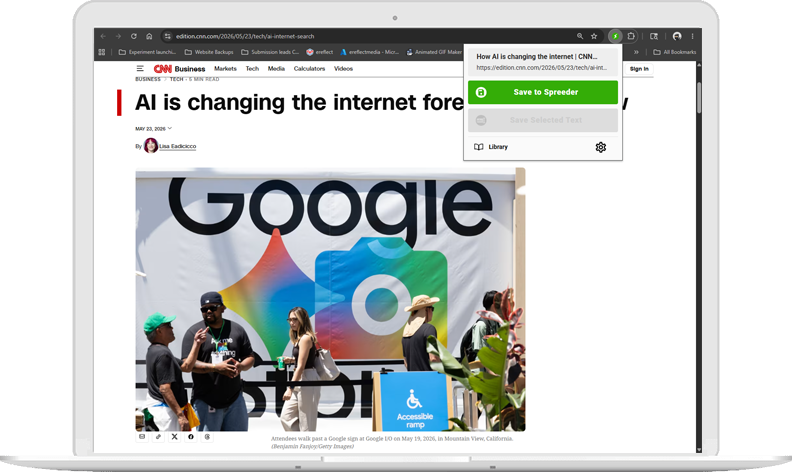
Save to Spreeder in Chrome saves the page to your Spreeder library. Image from Spreeder's homepage.
Why switch from Spreeder to SwiftRead
Read the real thing. Spreeder's homepage leads with AI book summaries and AI lessons. SwiftRead goes the other way. You read every word of your own article, PDF or book, and SwiftRead moves you through it faster.
Three ways to read. Focus is RSVP: it shows a few words at a time in one spot. If you'd rather see the whole page, Flow moves a highlight through the text for you. If the rest of the page gets in the way, Spotlight hides it so the words you're reading stand out. Switch anytime.
Listen while you read. Text-to-speech reads aloud in all three ways to read, and keeps the words in sync. I didn't find text-to-speech mentioned on Spreeder's site or app listings.
Your Kindle and Libby books, as they are. SwiftRead reads the page that's open on your screen, pages from Kindle and Libby books included, with no file conversion and no extra tools. Spreeder works by importing a file, and its site says purchased Kindle books need extra steps before they can be imported.
One click in your browser. Click the SwiftRead extension on any page or PDF and start reading. It runs in Chrome and Edge, and has 200,000 users on the Chrome Web Store. Spreeder's Chrome extension saves pages into its library and has 4,000 users. Its Safari version was last updated in November 2022. It's rated 1.0 from 2 ratings, and its reviews say "No longer works" and "Doesn't work."
Try every feature first. All features included free. A few have daily allowances. Spreeder's free web app takes pasted text up to 200 words.
Who should pick which
Pick SwiftRead if you:
- read lots of articles, PDFs and reports and want to get through them up to 3X faster
- want three ways to read, with text-to-speech in each
- read in Kindle Cloud Reader or borrow from Libby
- switch between a laptop and a phone and want your place saved
- want to try it before you pay. All features included free. A few have daily allowances.
Pick Spreeder if you:
- want structured speed reading courses, drills and goals
- want AI book summaries and lessons
- would rather pay once ($67, shared by up to 5 people) than subscribe
- want a desktop app for Windows or Mac
- want to import lots of file types (Spreeder lists 52)
How to switch in two minutes
- Add SwiftRead to Chrome or Edge, get the iPhone or Android app, or open the web app at app.swiftread.com.
- Open what you want to read: click the SwiftRead icon on any article or PDF, add a PDF or ePub from your device, or pick Kindle Cloud or Libby under Supported sources.
- Pick one of the three ways to read (Focus, Flow or Spotlight) and press Play. Turn on text-to-speech if you want to listen too.
- Sign in with the same account on your other devices, and your library and progress follow you. On your phone, you can also share links, text, PDFs and ePubs to SwiftRead from other apps.
FAQ
What's the best Spreeder alternative? For speeding up the reading you already do, SwiftRead. It reads web pages, PDFs, ePubs, and Kindle Cloud Reader and Libby books. You can read with RSVP, the full page with a moving highlight, or the rest of the text hidden, and text-to-speech works in all three. It runs in Chrome and Edge, on the web, and on iPhone, iPad and Android. If you want courses and drills, Spreeder is still worth a look.
Is SwiftRead free? Yes. All features included free. A few have daily allowances. With PRO, you can use text-to-speech and premium pages (used for Kindle Cloud Reader and Libby) as much as you like. On the US App Store, PRO costs $19.99 a month, $44.99 a quarter or $119.99 a year.
Is Spreeder free? Spreeder has a free web app for pasted text, up to 200 words. Full Spreeder is a one-time payment of $67 for up to 5 users, on the order page linked from Spreeder's homepage.
Does SwiftRead work like Spreeder? Both offer RSVP, which shows a few words at a time in one spot. In SwiftRead, that's Focus. SwiftRead also has Flow, which moves a highlight through the full page, and Spotlight, which hides the rest of the text so your words stand out. That's three ways to read, plus text-to-speech in each.
Can I speed read Kindle books? With SwiftRead, yes. Open the book in Kindle Cloud Reader, then start SwiftRead from the app or the browser extension. Libby books work the same way. SwiftRead reads the page that's open on your screen, pages from Kindle books included, with no file conversion and no extra tools. Spreeder works by importing a file, and its site says purchased Kindle books need extra steps before they can be imported.
Does SwiftRead read aloud? Yes. Text-to-speech reads the text aloud and keeps the words in sync, in all three ways to read. Free accounts get a daily text-to-speech allowance. With PRO, use it as much as you like.
Does Spreeder have a Safari extension? Spreeder has a Safari version of its Save to Spreeder extension, last updated in November 2022. It's rated 1.0 from 2 ratings on the App Store. The Chrome version was updated in August 2026 and has 4,000 users.
Does SwiftRead work in Safari or on a Mac? There's no SwiftRead extension for Safari. On a Mac or PC, use the Chrome or Edge extension or the web app at app.swiftread.com. On iPhone and iPad, use the SwiftRead app.
Sources
Checked November 16, 2026.
- SwiftRead: Platforms · Kindle and Libby · PDF and ePub files · Free and PRO · App Store prices · Chrome Web Store
- Spreeder: Spreeder homepage · Spreeder downloads · Spreeder free web app · Spreeder on the App Store · Spreeder on Google Play · Save to Spreeder for Chrome · Save to Spreeder for Safari · Spreeder blog. The $67 price is from Spreeder's order page, linked from its homepage.
- Images: SwiftRead screenshots captured November 5 and November 17, 2026 (browser extension, on an AP News article). Spreeder images from Spreeder's homepage and Spreeder on the App Store, saved November 17, 2026.
Related
- Best speed reading apps (2026): how SwiftRead, Spreeder and other speed reading apps compare.